Business Central Dimensions
1. Overview
This document provides an outline for configuring the Centrify 360 to cater for dimensions in business central.
Centrify 360 supports adding the BC Dimensions as dimensions in the target star schema model, allowing the user to breakdown and filter his visuals by these dimensions where applicable
2. Configuration Steps
2.1. Step 1: Global Dimensions Configuration
-
Navigate to Centrify 360 Setup page

-
Define your dimension names here that will be shared accross all companies
-
This is a global definition and is still not linked in any way to business central dimensions
-
The next step is to map these global dimensions to the company dimensions.
-
2.2. Step 2: Company Configuration
|
The below steps should be completed for each company |
-
Navigate to Centrify 360 Setup page
-
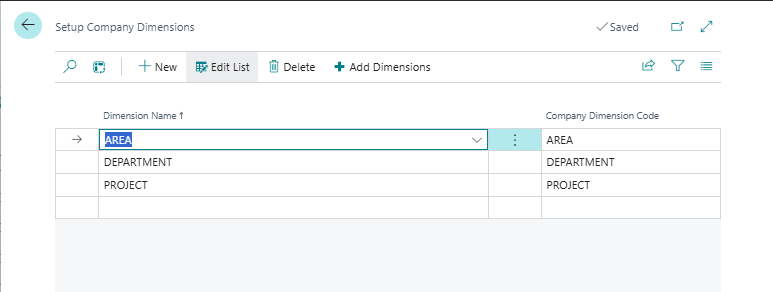
For each datasource, Press on Setup Dimensions to link the global dimensions to the company dimension
-
You can also use the helper Add Dimensions button which will add all the unmapped global dimensions so it is easier to map them.
-
If a dimension doesn’t exist for a certain company, do not add an entry for it in the mapping