Object/Row Level Security
1. Overview
This document provides an outline for configuring the object and row level security in Centrify 360
Centrify 360 supports the following types of row and object level security:
-
Row Level Security
-
Simple Filters on fields in a table
-
Advanced DAX Expression filters on tables
-
Simple Filters on Datasource IDs of companies/tenants
-
-
Object Level Security
-
Table Exclusion
-
Column Exclusion
-
An example usage for each type:
-
Row Level Security:
-
Allow/Prevent some users from viewing data for some customers
-
Allow/Prevent some users from accessing any data from a company
-
-
Column Level Security
-
Prevent some users from viewing some metrics (like Profit %) by excluding the cost amount fields from the data
-
2. Configuration Steps
2.1. Step 1: Role Definition
-
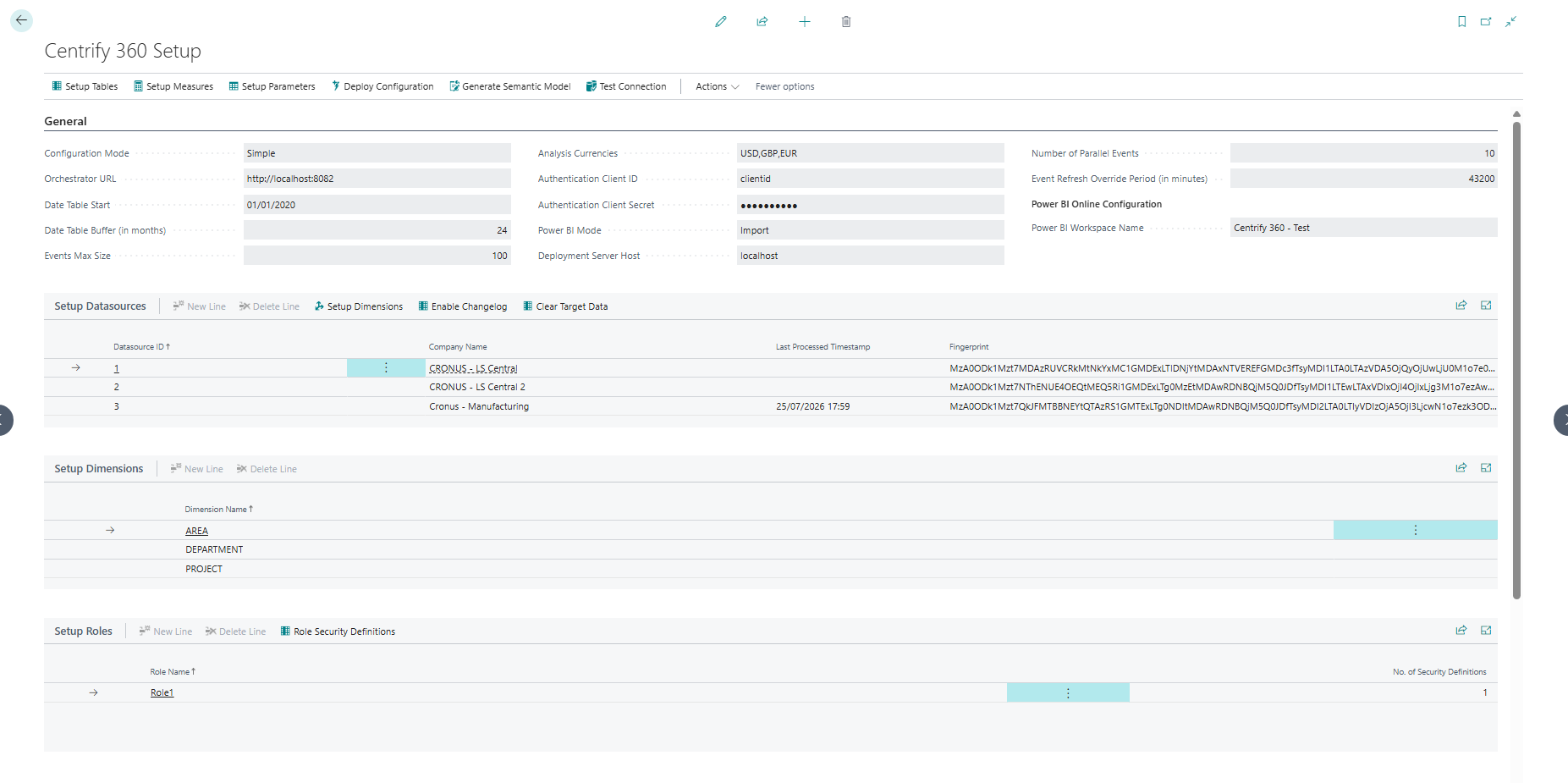
Navigate to Centrify 360 Setup page
-
Define your different role names
-
Each role will be available as a Power BI Role and can be later on mapped to Power BI Online users.
-
A member cannot combine object and row level security definitions from different roles (Power BI Limitations)
-
Refer to https://learn.microsoft.com/en-us/fabric/security/service-admin-object-level-security?tabs=table and https://learn.microsoft.com/en-us/analysis-services/tabular-models/object-level-security?view=sql-analysis-services-2025#restrictions for more limitations
-
2.2. Step 2: Role Security Definitions
-
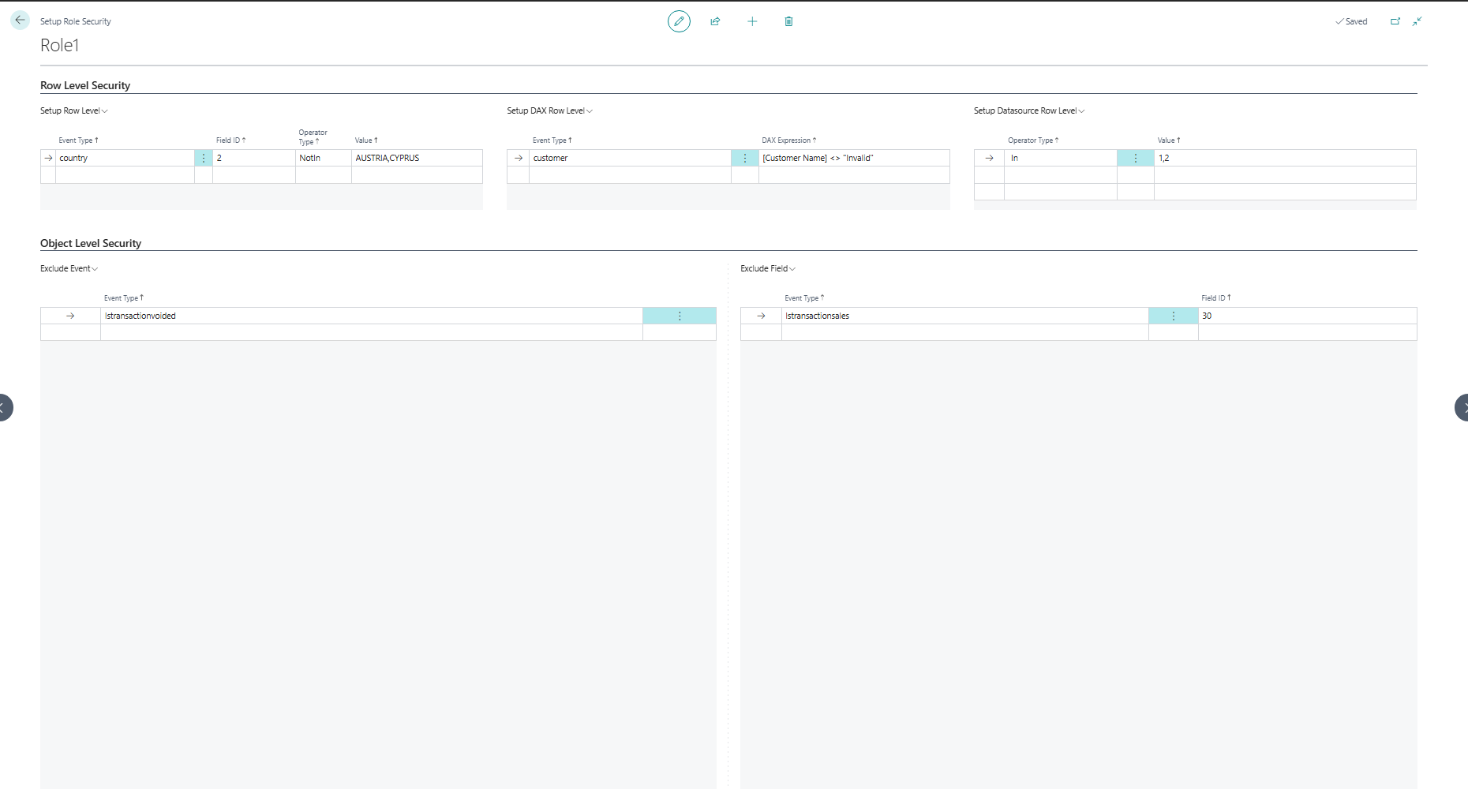
Click on Role Security Definitions for each role to start defining rules for that role.
-
Each section is linked to one of the options mentioned in the overview above, check the example in the screenshot for guidance in each section
2.3. Next Steps
A change in roles and their definitions doesn’t require a redeploy of the configuration, but it does require the Power BI semantic model to be updated.
If you publish manually, update the semantic model manually in Power BI Desktop as described in Basic Configuration.
If you use Integrated Publish & Update, run the Update Semantic Model action so the new roles become available.